Prescribing workflow
Bacterial conjunctivitis — and the script, built for you.
The diagnosis is the easy part. OptoGuide™ takes the same case from triage to a PBS-format prescription — the drug and directions pre-fill from the condition, you add the patient, and nothing is stored.
Structured for Australian optometry practice. Source-cited clinical reference; not individually clinician-reviewed.
Clinical decision support only
Red flags: assess urgently before anything else
These features point away from a simple conjunctivitis and support escalation or same-day review if the cornea is involved.
- Pain, photophobia, or reduced vision.
- Contact lens wear with redness or discomfort.
- A unilateral severe presentation or corneal staining.
- Membranes, marked lid swelling, or atypical recurrence.
One connected workflow, not separate lookups
Recognition, management, prescribing, and referral usually live in different tools. In OptoGuide™ they are one path, and each step hands off to the next so the decision keeps moving.
Step 1
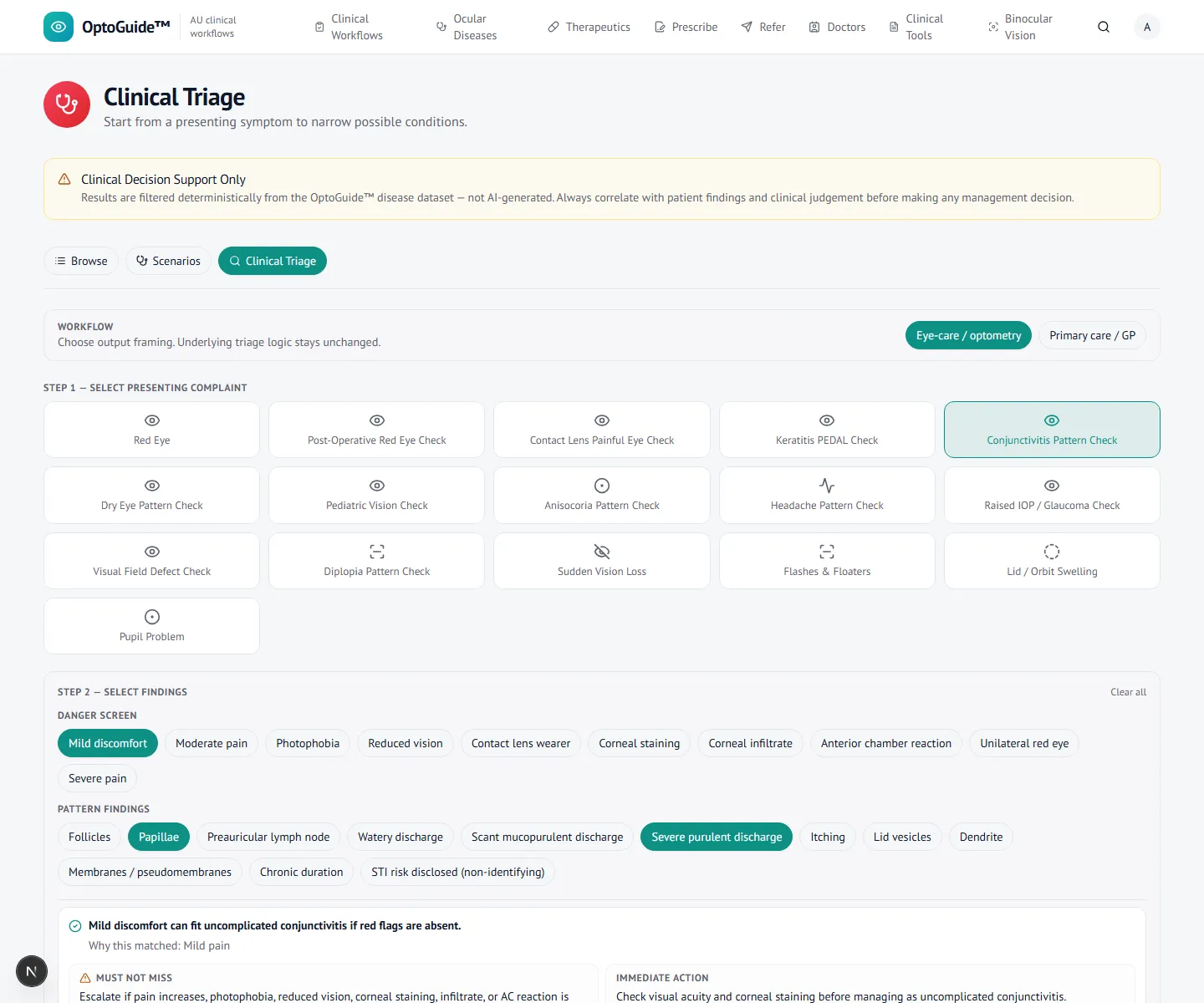
Triage the presentation and findings
Start from the presenting complaint, then the findings — here a conjunctivitis pattern, using slit-lamp signs rather than discharge alone, and separating conjunctival from corneal disease early.
- Use symptom pattern and signs, not discharge appearance alone.
- Separate uncomplicated conjunctivitis from corneal involvement.
- Document laterality, discharge, and staining findings clearly.
Step 2
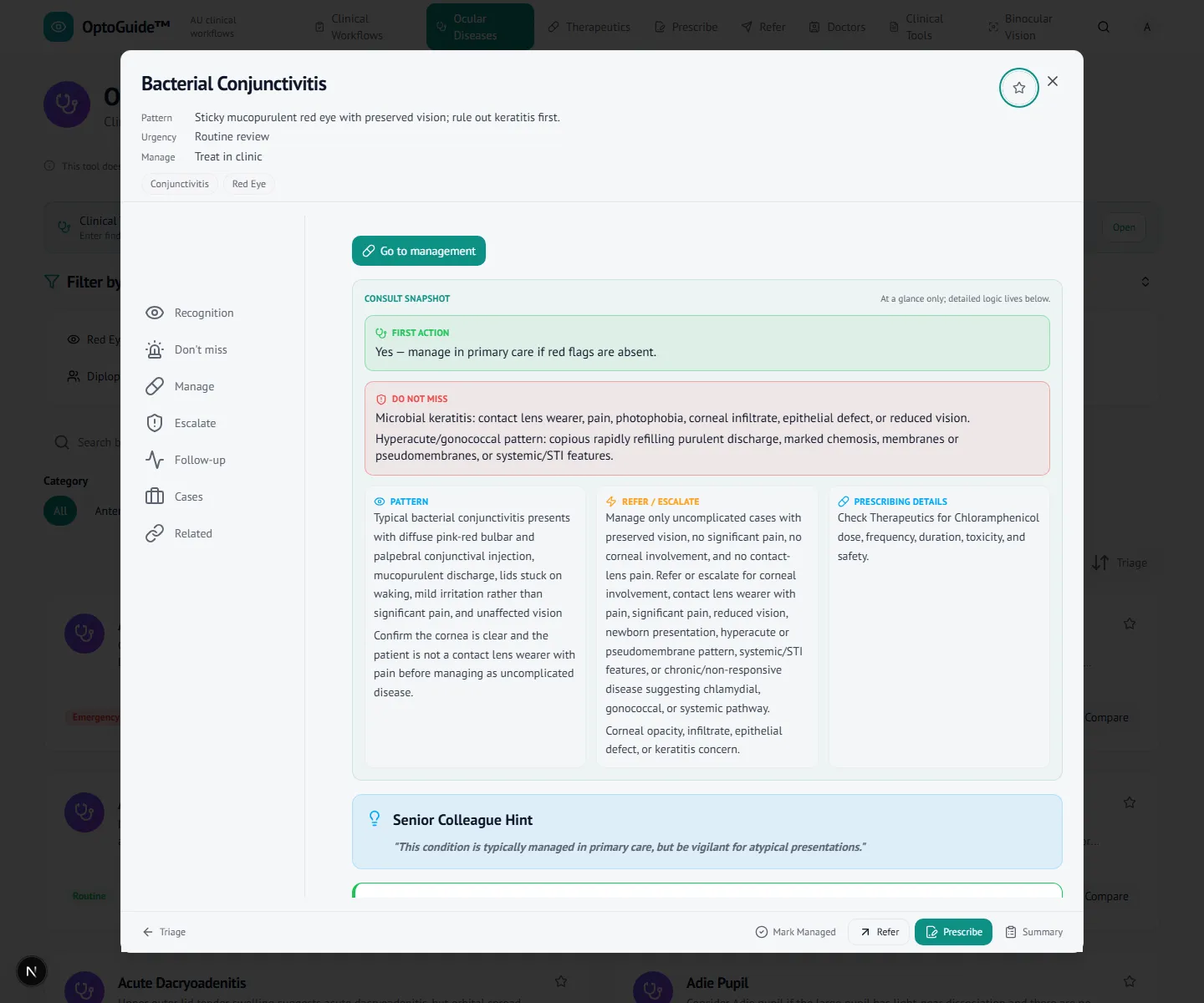
Confirm the first-line management
Open the condition for structured guidance — recognition, first-line management, and escalation in one view. First-line treatment is presented at the point of decision.
- Optometrist-led management is framed within your scope and endorsement.
- Escalation cues stay visible alongside the management plan.
Step 3
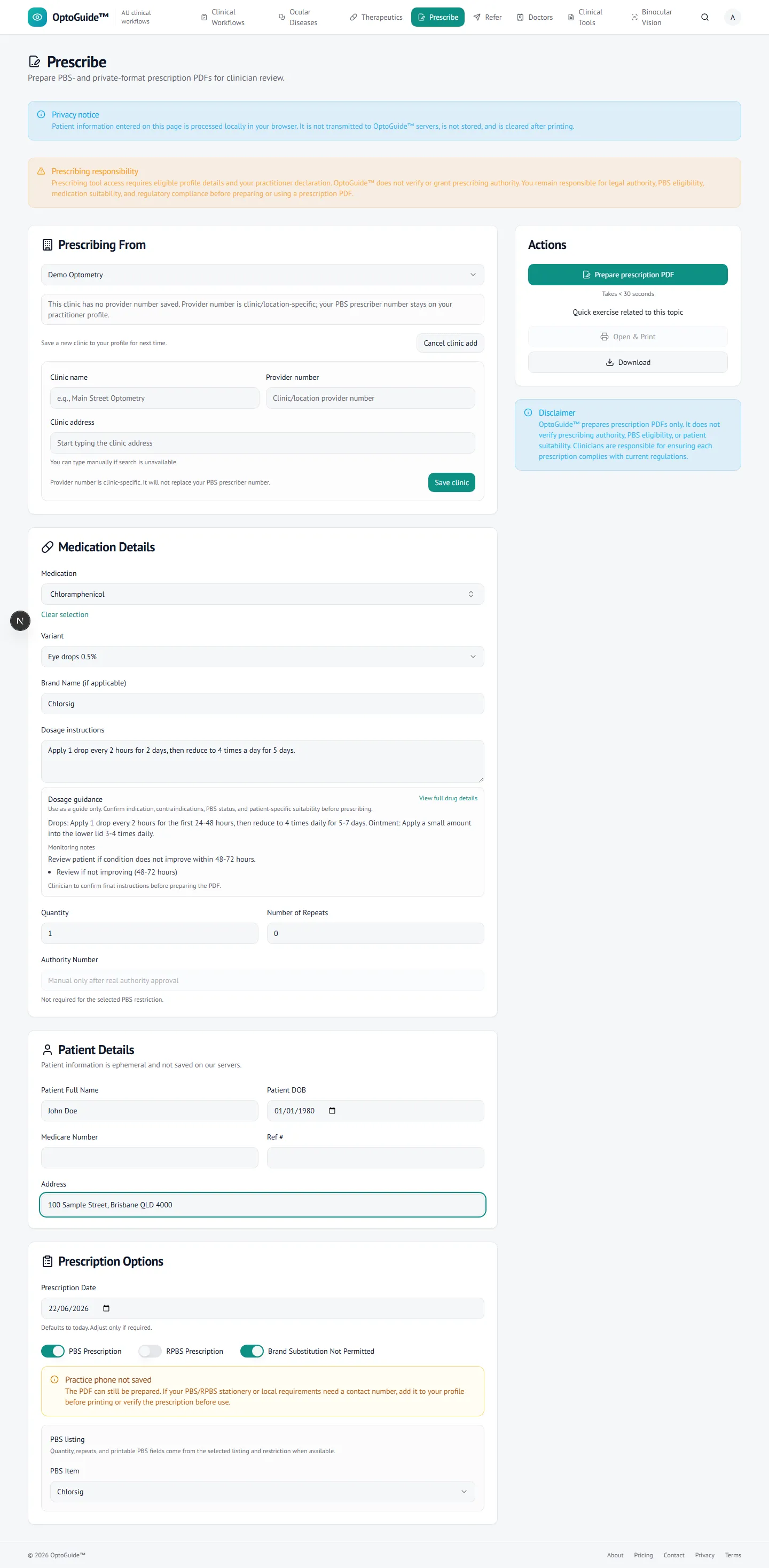
Build the prescription
The first-line drug, brand, and directions pre-fill from the condition into the prescription generator. You add the patient at the point of care — nothing is stored, and the PDF is generated on-device.
- Drug and directions carry through from the condition, so you review rather than retype.
- Patient details are entered locally and never leave the browser (DEC-007 / DEC-008).
Step 4
Generate the PBS-format script
OptoGuide™ prepares the PBS-format prescription — prescriber, patient, drug, and directions filled — ready to print onto your PBS stationery and sign. Dosing guidance and review timing travel with the drug.
- A print-ready PBS-format PDF, generated client-side.
- You confirm quantity and repeats; the clinician reviews, signs, and follows up.
- OptoGuide supports the workflow — it does not diagnose, prescribe, or verify prescribing authority.
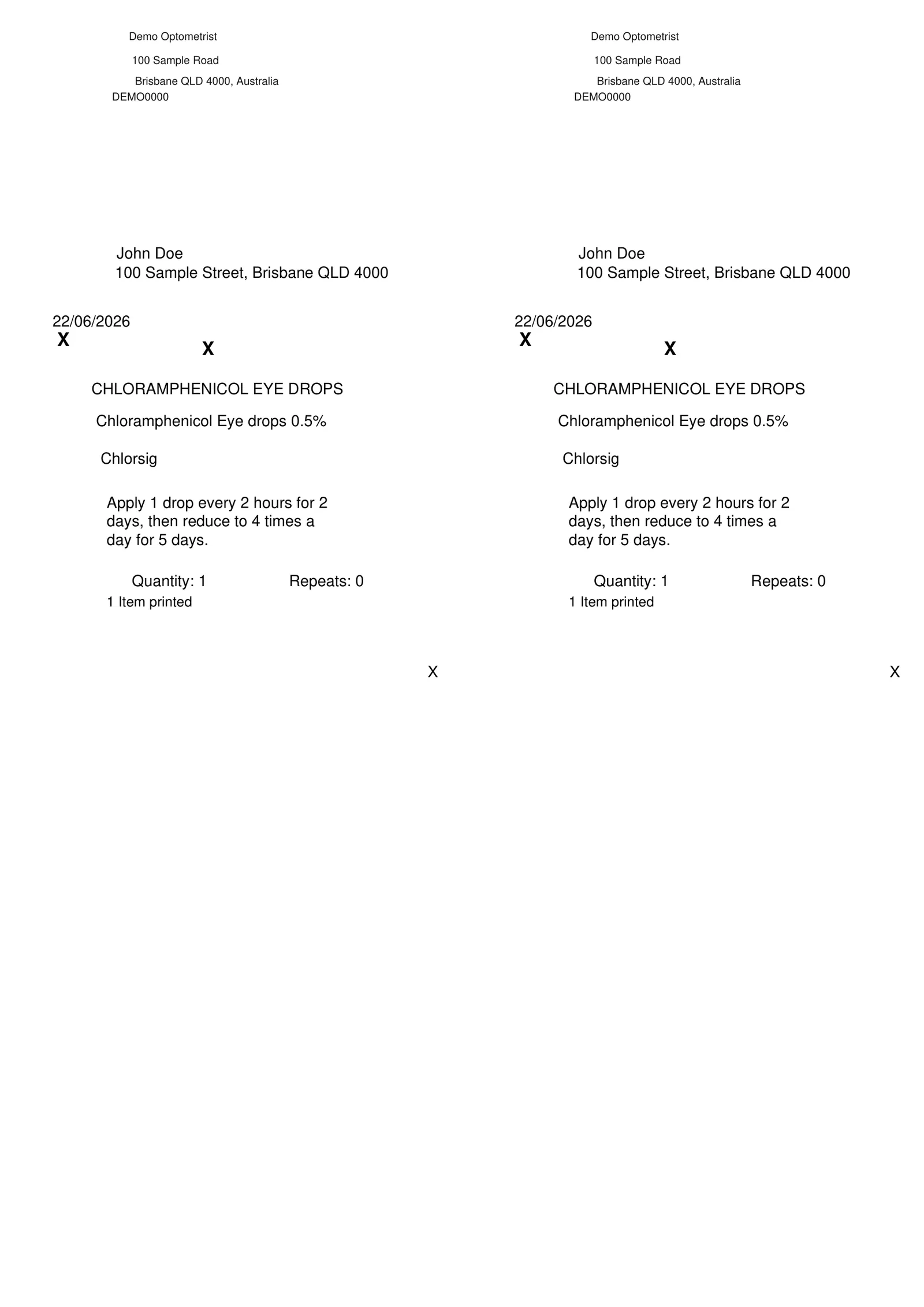
Illustrative example — prescriber identity and patient are demo values.
Clinical basis
This guidance reflects standard optometric clinical reasoning based on:
- Australian optometry clinical practice patterns
- Australian medicines regulation and PBS prescribing context
- Common ophthalmology referral standards
- Evidence-based clinical training and practice
Stop hand-writing the easy scripts.
Free 14-day full-access trial. No credit card required.